Looking at integrating POS Digital into the Delivery App.
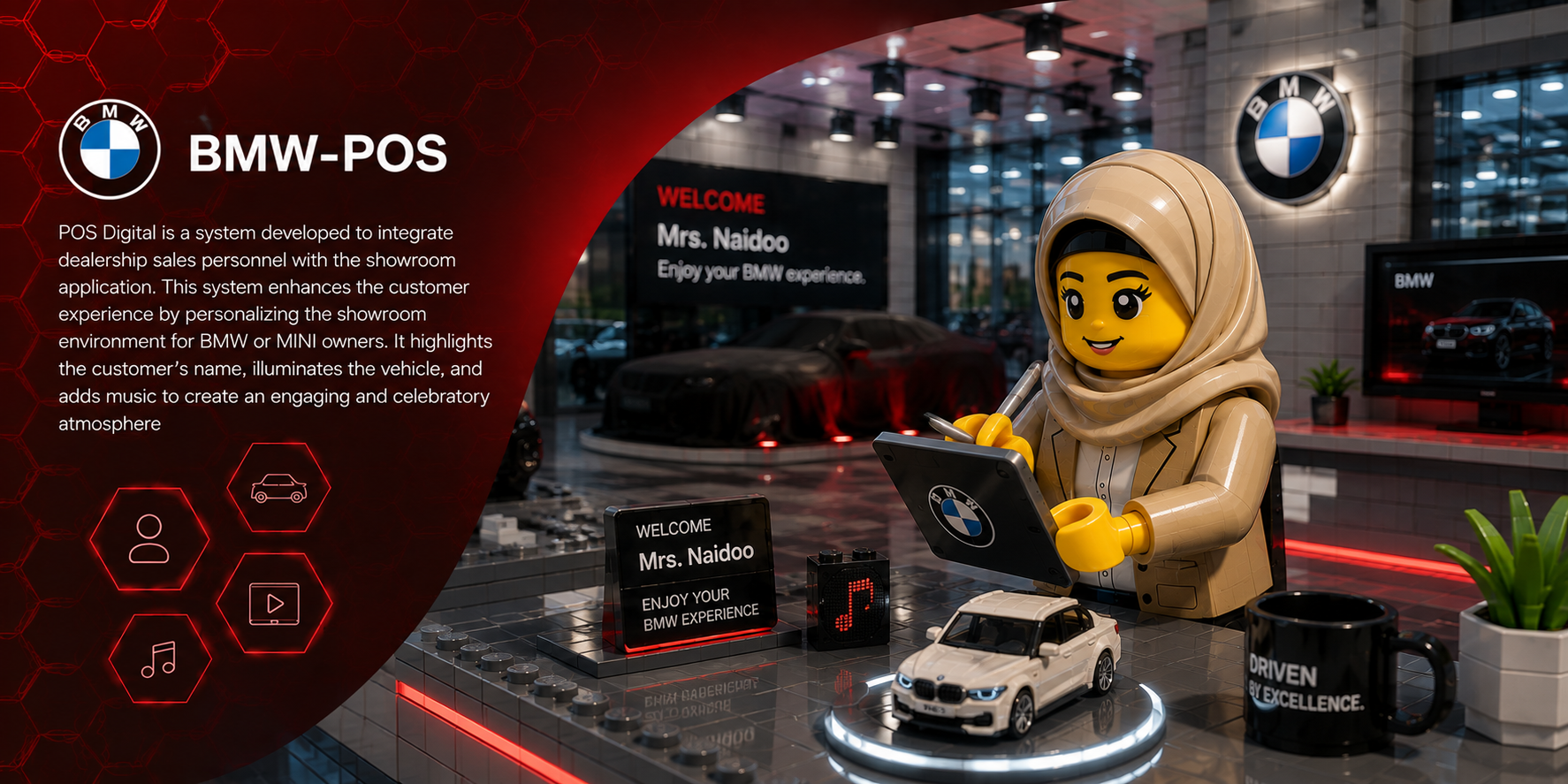
BMW — POS DIGITAL
BMW-POS
POS Digital is a system developed to integrate dealership sales personnel with the showroom application. This system enhances the customer experience by personalizing the showroom environment for BMW or MINI owners.
Target User
BMW dealership sales personnel using the showroom application to create a personalized customer experience.
Design Process
Problem framing · User flows · Low-fi · Interface design · Validation · Handoff
Project Context
Automotive / B2B · BMW IT Hub · Dealership showroom experience
Methods / Skills
User research · Requirements synthesis · Figma · Agile · Stakeholder collaboration · Usability testing

Objectives
Personalisation – Create a more engaging showroom experience for BMW and MINI customers.
Integration – Connect dealership sales personnel with the showroom application.
Experience – Use customer information, vehicle lighting and music to create an engaging and celebratory atmosphere.
03 · PROBLEM STATEMENT
Making POS Digital easier to discover and use
Enable the user to set up a POS handover for a customer via an easy online platform (DAPP).
It should be easy to set up and locate in the application.
The user might not know that the feature exists.
Frustrated
PROCESS FLOW
How the POS Digital setup works
The original journey moves through a sequence of actions and checks before the customer information is returned to POS Digital. Square shapes represent actions, diamonds represent decision points, and the information markers point to the three original screens shown below.
START
→
Open POS Digital
→
Select a brandi
→
Brand
selected?
selected?
→
Select a screeni
→
Screen
available?
available?
→
Add customer namei
→
Send request to CRM
→
Information
received?
received?
→
Return information to POS Digital
→
END
SCREEN 01See screenshot below
SCREEN 02See screenshot below
SCREEN 03See screenshot below
04 · THE SOLUTION
Three steps, brought together in one screen
The experience was simplified by bringing the three key steps into one continuous screen, making the handover easier to understand and faster to complete.
STEP 01
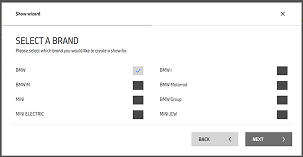
Select a brand
The user begins the setup by selecting the BMW brand for the showroom experience.
STEP 02
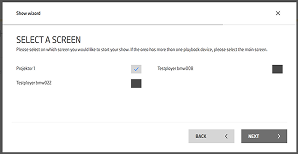
Select a screen
The user chooses the showroom screen where the customer experience will be displayed.
STEP 03
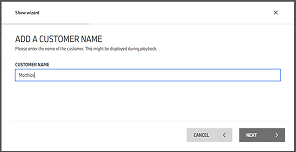
Add customer name
The user adds the customer details before the system communicates with CRM.
FINAL RESULT
One screen replaces the three-step setup
The final POS Digital setup brings brand selection, screen selection and customer details together on one screen. The CRM communication was also rewritten and simplified so the system requests the information, retrieves it, and brings it back into the interface in a clearer flow.
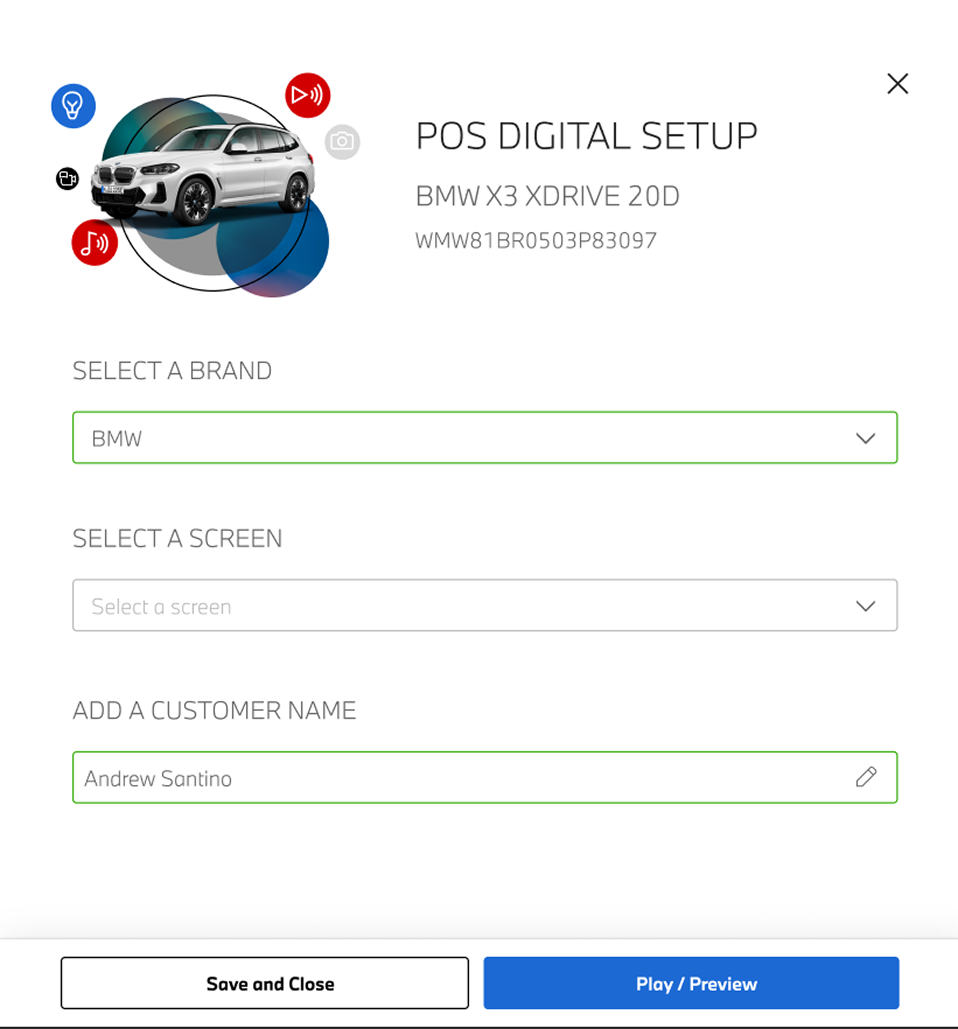
REWRITTEN & SIMPLIFIED
One screen. A clearer CRM handoff.
These three steps were consolidated into one screen. The CRM communication process was also rewritten and simplified so the system handles the request, retrieves the required information, and brings it back to the interface in a clearer, more predictable flow.
Dealer UI
→CRM request
→Customer information
→Back to UI
05 · DESIGN DIRECTION
A clearer path to the POS handover
Discoverable
Make POS Digital visible within the existing dealership workflow.
Simple
Reduce setup effort so sales personnel can confidently prepare the handover.
Personal
Connect the customer, vehicle and showroom experience so the handover feels intentional.